Two views of the same dashboard
The dashboard exists in two places. The public site is what students, staff, and outside visitors see. The ops view is an internal page behind a login that always reflects the most current data, whether or not that data has been published yet.
Parking and bike update themselves automatically. Transit does not, someone has to upload a new WTA file (see below). None of that reaches the public site until an admin deliberately publishes it.
The publish process
- Review the data together. This matters most whenever a new WTA transit file has just been uploaded, since that's usually the reason to publish. A quick look with whoever's around, Shelby included, is enough.
- Add a log note describing what changed and why. See examples below.
- Click Publish. This copies parking, transit, and bike data (daily and hourly) to the public site in one commit, they never go out separately.
- The kill switch is separate from publishing. The "Public site enabled" toggle in the Admin tab takes the entire public site down immediately, showing a temporary-unavailable message, regardless of what's currently published. It's for takedowns or maintenance, not part of a normal publish. Remember to switch it back on afterward.
- "Published July update — parking through Jul 13, bike through Jul 22. No new WTA data this cycle."
- "Uploaded WTA export (642 new records, May 31–Jun 3). Reviewed with Shelby, publishing now."
- "Kill switch off temporarily for site maintenance — see note before re-enabling public access."
All three sources at a glance
Format: CSV
No external contact needed
Format: .xlsx or .csv
BeckyK@ridewta.com
No file, no upload
csm@eco-counter.com
Parking — Genetec / T2 plate reads
Patrol vehicles equipped with license plate readers scan lots as they drive them. Those reads get exported and emailed to the dashboard on a schedule.
- A new export file arrives by email at wwuparkingdata@gmail.com roughly every 12 hours.
- The dashboard checks that inbox automatically every 6 hours, so a new file is typically picked up within one check cycle of arriving.
- The system downloads the attached file and adds its rows to the live parking data. Nothing further needs to be done by hand.
CSV.
How we get unique vehicle counts and then dispose of plate data
Each day's export is reduced to unique vehicles before anything is stored. Near-identical plate strings seen in the same lot within about 15 minutes are treated as one vehicle (a likely camera misread), and any exact plate string counts only once per day. After those counts are written, plate values are cleared from memory and the email is marked read so the attachment leaves the active inbox. The dashboard keeps the daily vehicle count, not the plates.
Transit — WTA ridership export
Transit data comes directly from Whatcom Transportation Authority, through a working relationship with Becky Kelly (BeckyK@ridewta.com). There's no automatic feed for this source, someone has to request or receive the file and upload it.
.xlsx or .csv, either works, the upload form handles both.
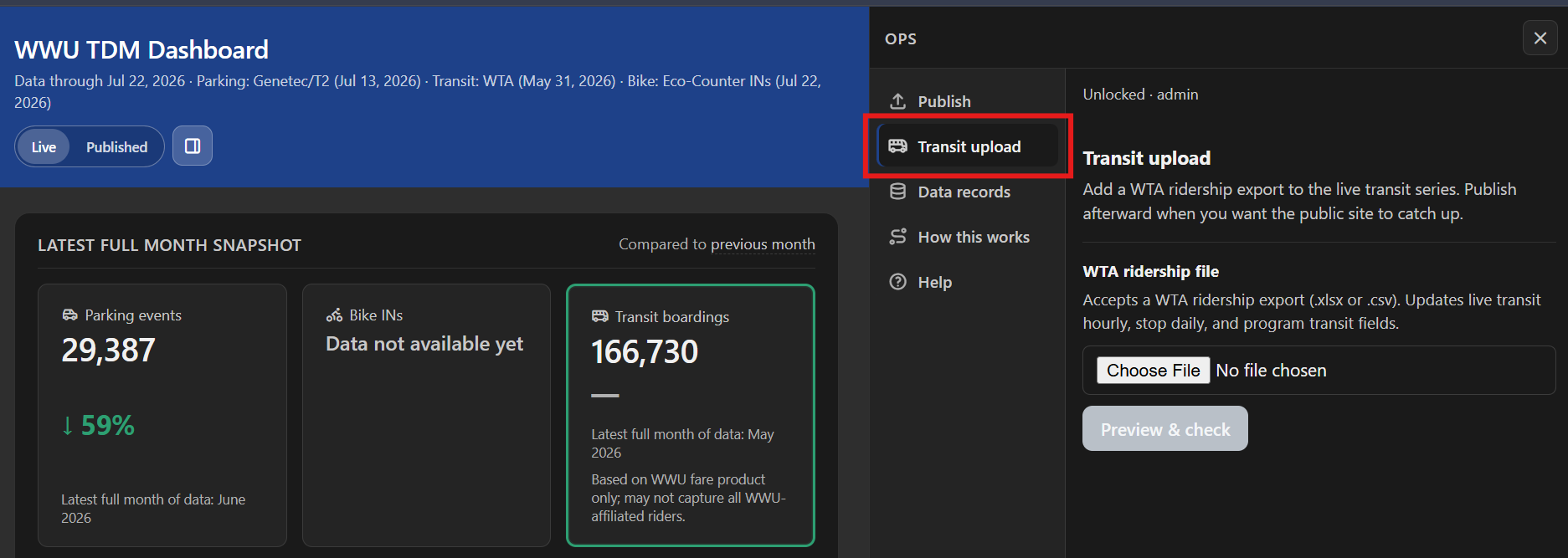
- Open the ops page, unlock the Admin tab, and go to Transit upload.
- Choose the file (either format), then click to run the check.
- Read the preview: it shows the date range covered, how many records are new, and how many are already-loaded duplicates that will be skipped.
- Click Confirm & ingest if it looks right, or cancel and try a different file if it doesn't.
- A log note gets added automatically. This is usually the moment to also do a quick review and publish (see "Start here" above).
Bike — Eco-Counter
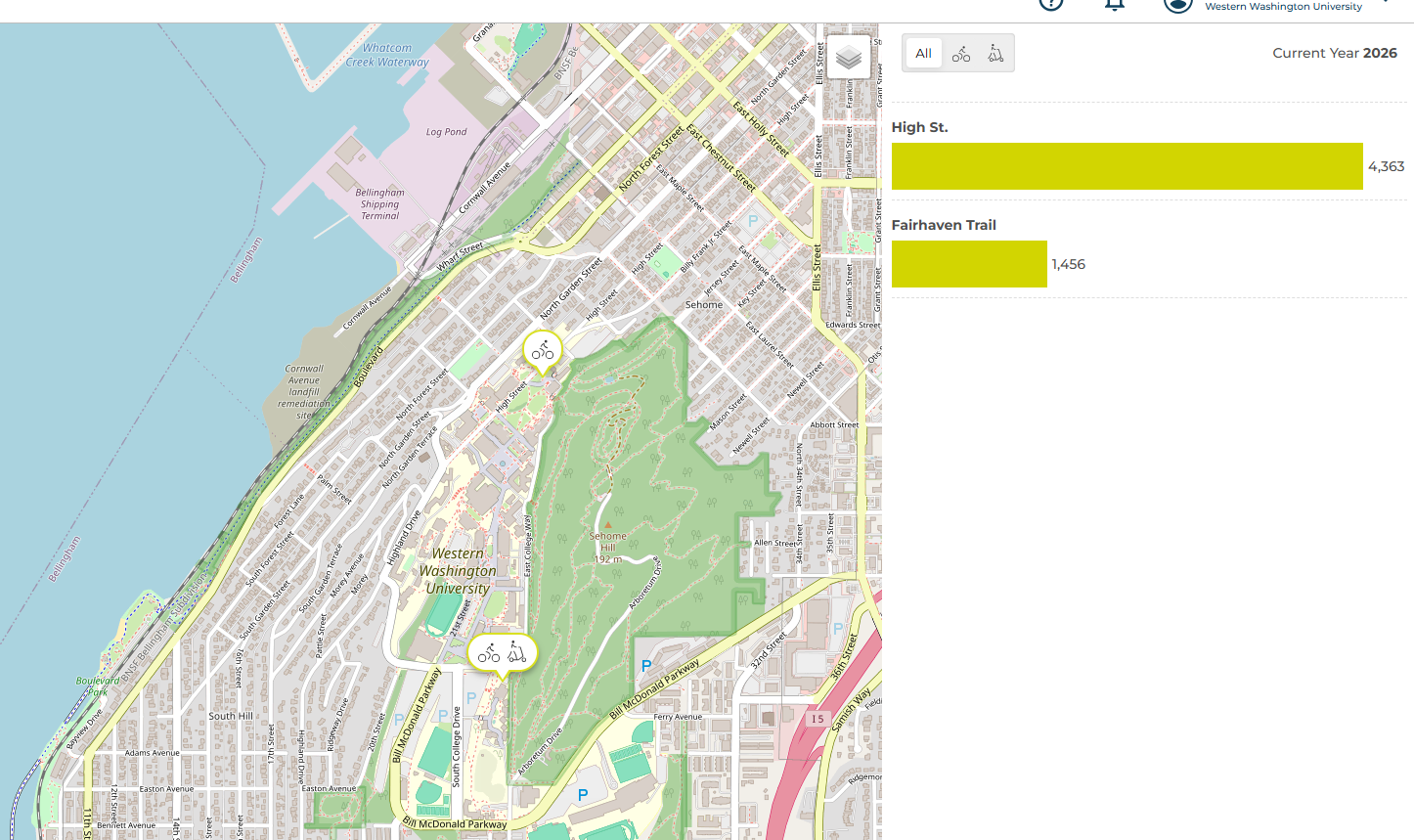
Two physical counters are installed on campus today, at High St. and the Fairhaven Trail, with a third planned. Each counter sits by a path and counts people passing, no manual step, no file, nobody has to do anything for this data to arrive.
Eco-Counter's own system keeps a running record of every counter's data. Our dashboard checks in with that system automatically every 6 hours and asks for whatever's new. That standing "ask for the latest" connection is what people mean by an API, it's just a fixed channel between two computer systems, so nobody has to manually download anything for the numbers to show up here.
The raw feed reports INs, OUTs, and separates bike from scooter counts. The dashboard currently uses bike INs only, the other fields exist in the feed but aren't shown yet.
eco-counter.com · Customer Success: csm@eco-counter.com